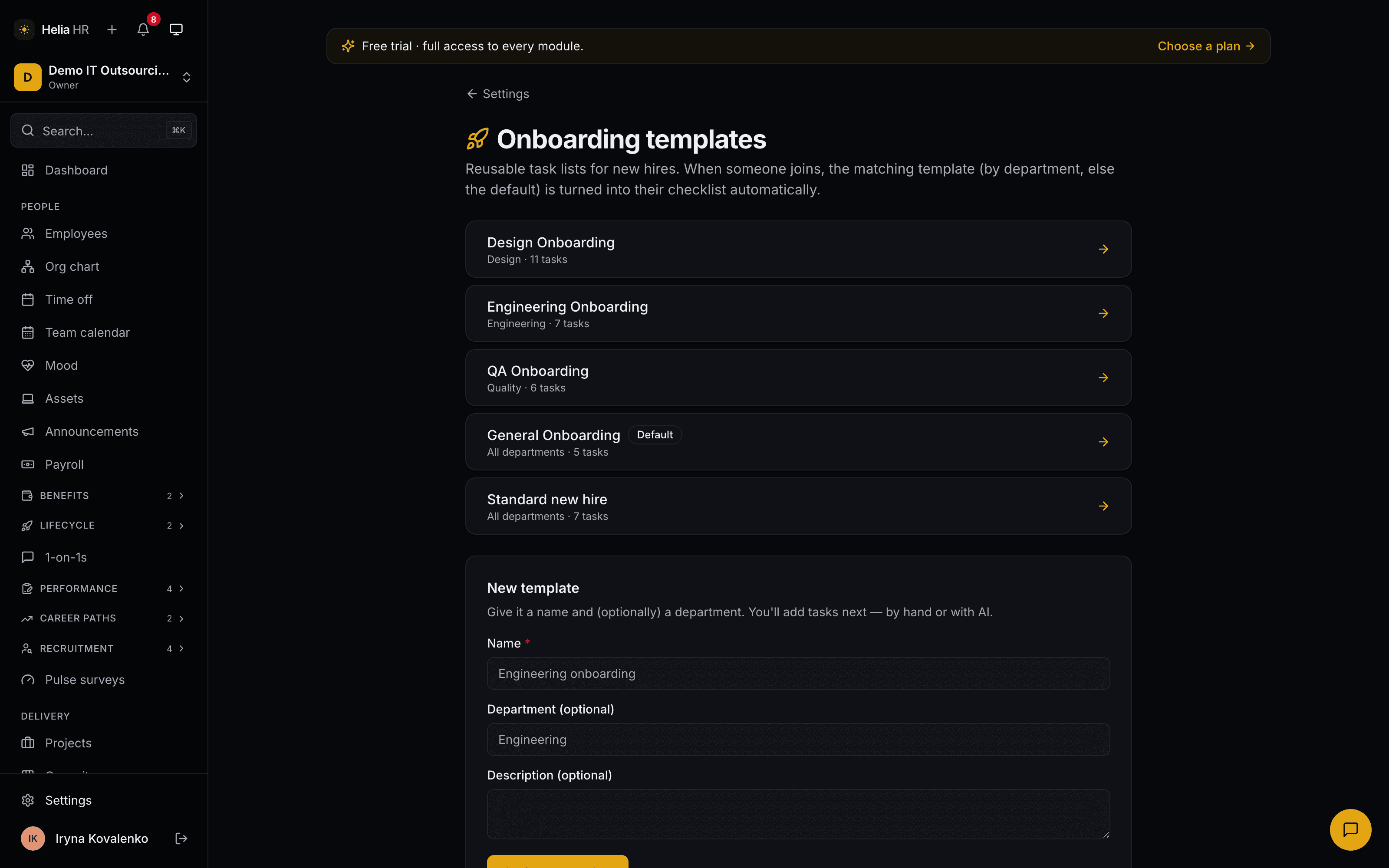
Write it once, per department
A template is a name, a department and an ordered list of tasks. Each task carries three things worth having:
- An owner role — HR, manager, IT, admin or the new hire themselves — printed on the task so it is obvious whose job it is.
- A due date in days from the start date, not a fixed date. "Laptop ready on day −2" stays right for every hire forever.
- A link, so "sign the equipment form" points at the form instead of at a search.
Design hires and QA hires do not need the same first week, so a template can be scoped to a department; a general template covers everyone else. Clone one to start the next. If a blank page is the blocker, Helia can suggest a first set of tasks for a role, which HR then edits — the suggestion lands in the template, never on a person.
Nothing ships pre-filled. Your first afternoon with this pack is spent writing the checklist your best manager already keeps in a private doc, once, where the next hire will actually find it.
It starts itself the moment the person exists
Create the employee and the matching template becomes their checklist immediately, every due date already computed from the start date. Hire a candidate in Recruitment and the same thing happens in the same action — the handoff people usually lose in email between two systems is one database write here.
The new hire gets a welcome notification with their list once their account is linked. HR, the manager and the person themselves can tick items; the checklist closes itself when the last one is done, and reopens if something is un-ticked.
The program page is the one HR actually lives in: every hire currently onboarding, their progress, their overdue count, their manager and buddy, and a header that reads N in progress · N behind · N ready to close. A task due today is not yet late, and a skipped task counts as resolved — the number means what you would mean by it.
Thirty, sixty, ninety — for the roles that deserve more than a checklist
A checklist gets someone set up. It does not tell a senior hire what "good" looks like by the end of month three. For those roles there is a separate 30/60/90 plan: milestones grouped into three windows — objectives, meetings, deliverables, reading — assigned from a template by HR or the person's own manager.
The new hire sees their plan read-only and writes one reflection per window. The manager is notified when a window is fully done and when a reflection lands. If a window is nearly due and the plan is well behind, both of them get a nudge by email a few days before, not a postmortem afterwards.
These are assigned deliberately rather than automatically — a 30/60/90 for a junior on a well-trodden path is ceremony, and ceremony is the thing this pack exists to remove.
The exit gets the same treatment
Start an offboarding with the person, the reason and the last working day, and you get ten tasks dated around that day rather than around today: confirm the notice two weeks before, handover document and project reassignment a week before, equipment and access on the day, payroll removal the day after, final pay three days later, archive the record a week later. Add, remove or skip tasks per person.
The equipment still registered to them is listed right there with a return button. The exit interview is a structured form HR fills in during the conversation — a recommend score, a satisfaction score, whether they would come back, a primary reason from a fixed list, and three free-text answers — so leaving reasons are recorded the same way every time instead of living in one person's recollection.
Completing the offboarding is the part that matters operationally: the employee is marked terminated on their last working day and any project assignment running past it is end-dated, so capacity and utilization stop counting someone who has gone.
How it fits with the rest of Helia
This pack sits on Helia Base, which holds the people, the reporting lines and the hire dates every checklist counts from. That is the whole reason a hire from Recruitment can arrive with their onboarding already running, and the reason completing an exit can free the capacity in Delivery in the same click.
Be clear about what it does not do. Task owners are roles, not named assignees, and Helia does not chase them — there is no overdue-task email. The program page is the chase, and it is deliberately one page rather than a stream of notifications nobody reads. Likewise the exit checklist tells IT to revoke access and finance to process final pay; it does not reach into your identity provider or your payroll system to do it.
Onboarding & offboarding is metered per employee, per month, like the other lifecycle packs. Pricing for every pack, with a calculator, is on the pricing page.