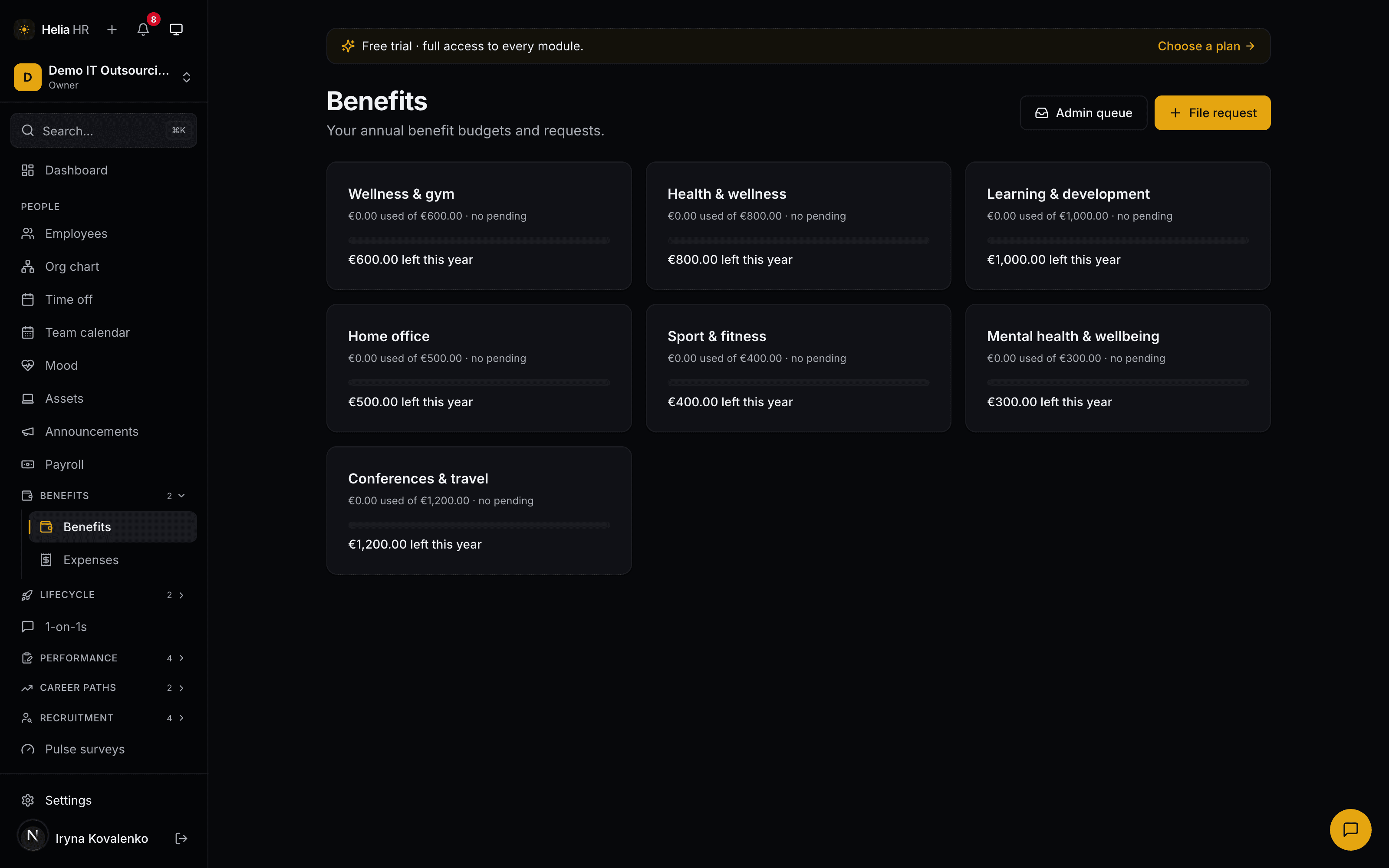
An allowance people can actually see
You define the categories your company actually offers — learning budget, home office, sport, mental health, conferences — and give each one an annual amount per employee. Everyone sees the same card set on their own benefits page: spent, pending, and what is left this year.
Two details make it survive contact with a real company:
- A pending request is shown separately from a spent one. Counting a request you have not approved yet as spent produces a balance nobody trusts.
- A category can require the probation period to be finished. People can still file during probation; the gate applies when HR approves, so nothing is silently dropped.
The allowance runs on the calendar year, the same amount for everyone in a category. There is no carry-over into next year and no proration for a mid-year joiner — worth knowing up front, because a January hire and a November hire get the same annual figure.
The receipt, from a phone camera
Out-of-pocket spending is the other half of this pack, and it is where receipts live. An expense claim carries the category, the amount and its currency, the date it was incurred, the vendor and the receipt itself.
The file goes straight from the browser into private storage over a one-time signed upload — it never passes through the application, so a large receipt cannot fail on a request-size limit. Images and PDFs up to 10 MB are accepted, iPhone HEIC photos are converted in the browser first, and viewing one later mints a short-lived signed link rather than exposing a public URL.
The submission checks are the boring ones that stop arguments later: a receipt is required above a small threshold, the date cannot be in the future, and a claim more than 90 days old is refused.
AI that fills the form, not the decision
Reading a receipt is exactly the kind of transcription a person should not be doing. Ask Helia to read one and it extracts the vendor name, the amount, the currency, the date and the individual line items, and suggests a category — learning from your own vendor mappings, so the coffee shop your team always uses stops being miscategorised.
Nothing is applied automatically. The extraction lands as a suggestion the employee confirms or overrides, and only then does it touch the claim. That is the shape every AI feature in Helia takes, and it is what keeps a misread total from quietly becoming an approved expense.
If AI is switched off in Settings — or you never switch it on — the button simply is not there and people type four fields. Nothing else in the module changes.
One queue, with an audit trail
HR works a single queue split into to review, to pay, paid and rejected. Approving needs no ceremony; paying records a payment reference, so "did this ever actually get reimbursed" has an answer months later.
Two guards matter more than they look:
- Nobody approves their own claim. The HR manager who filed it needs someone else to approve it.
- Over budget is a deliberate act. An approval that would exceed the allowance is refused once, with the figure shown; the approver has to tick an explicit override and try again, and the override is written into the audit log with the reason.
Spending rules sit in front of all of it. Each rule is an amount ceiling, a receipt requirement or a vendor restriction, scoped to one category or all of them, and set to either block the claim or let it through with a flag for HR. Rules are evaluated when the claim is filed and again at approval, so tightening a policy applies to what is already in the queue.
How it fits with the rest of Helia
Benefits & Expenses sits on top of Helia Base, which holds the people, the departments and the permissions this module reads. It is priced per employee and is one of the five packs that collapse to the bundle rate when run together.
Approved-but-unpaid reimbursements flow into the payroll-input export, so the monthly hand-off to your accountant carries them without a second file. Benefit requests do not — they are a perk budget, not a payroll item.
Your accountant works from that export, not from a seat here. There is no separate "accountant" role in Helia — the roles are owner, admin, HR manager, manager, employee and viewer — and the read-only viewer seat an advisor gets does not open the reimbursement queue, which is HR-chain only. We would rather say that than invent a role.
Pricing for every pack, with a calculator, is on the pricing page.